


AP News: World & Local
4.333.97K Reviews
App Specs
- Version
- 6.29.1 PROD
- Updated On
- License
- Free
- Downloads
- 1,000,000+
- Developer
- The Associated Press
- Categories
- News & Magazines
- Platform
- Android, iOS
Screenshots

 Analysis by AppCompare
When I open a news app for the first time, I want to reach one useful story quickly, not spend the first few minutes configuring a miniature control room. AP News: World & Local is aimed at readers who want a mix of major world developments and nearby reporting in one place. I’d approach it as a practical daily briefing: browse what matters, adjust the feed as my interests become clearer, and keep a few stories for a better moment to read.
What to expect from an AP-focused news feed
AP News is a free news and magazines app from The Associated Press. Its average rating is 4.2 from around 146,000 ratings, and it has more than a million installs. Those figures suggest that it has found a broad audience, but they don’t tell you whether its particular mix of coverage suits your habits. The useful question is whether you want a straightforward place to follow current events alongside local stories, rather than a feed built around social posts or one narrow subject.
For a first-time reader, the main value is having a starting point when the news feels scattered. I would use the app to scan a few topics, open a story that needs more attention, and return later to anything I don’t have time to finish. That is different from treating every alert as urgent or expecting a personalized feed to make editorial choices for me. News apps can help organize reading, but I still decide which subjects deserve my attention and when I want to step away.
The First Impressions
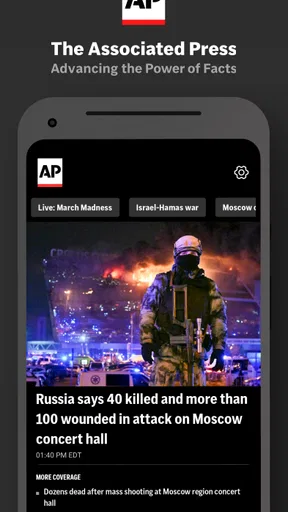
When I first downloaded AP News: World & Local, the initial setup was seamless and quick. The app doesn’t bombard you with unnecessary sign-ups or ads, which is a big plus in my book. Right off the bat, it gives you a clean and straightforward interface. The design is minimalist, making navigation a breeze. You won't feel like you're trying to crack a Da Vinci code just to find today’s headlines.
First setup: keep it useful, not over-customized
I’d begin by deciding what role I want this app to play. If I already read a local paper and mainly want a broader view of events, I would shape my attention toward subjects I don’t get elsewhere. If I’m new to regular news reading, I’d start with a small number of interests and see what appears before adding more. The aim is to make the first feed easy to scan; selecting every possible topic can make a personalized page feel just as busy as an unfiltered one.
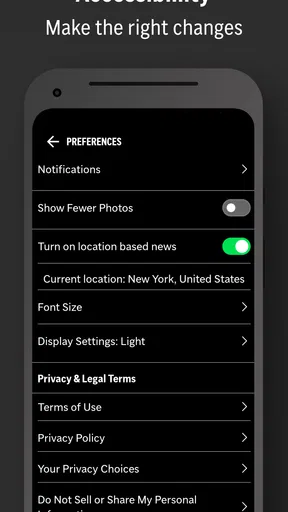
Location-based local coverage can be useful, but it is worth thinking about what “local” means for your routine. Someone who travels between home and work may care about stories in more than one place, while a reader who wants only national and international coverage may prefer not to make location the center of their browsing. I’d check the app’s location-related choices during setup and use the setting that fits my comfort level, rather than enabling anything automatically just because it is offered.
Features That Stand Out
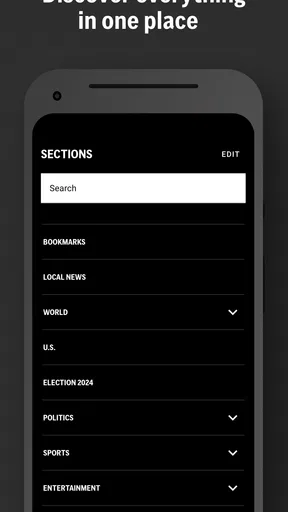
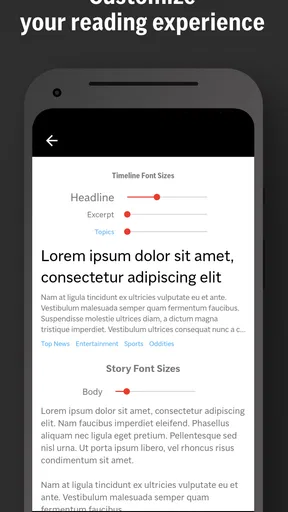
Now, onto the juicy bits. The app offers a plethora of features that cater to news junkies and casual readers alike. One of the standout features is the customizable news feed. You can tailor it to your interests, whether you're into politics, sports, entertainment, or science. It’s like having a personal news butler who knows exactly what you want.
Worth Reading Before You Choose

EA SPORTS FC Mobile 26 Is a Bigger Football Game, but It Takes Time

Flipboard Shows What News Apps Must Do Beyond the Feed

Switching to Android Auto Means Rethinking Your Driving Routine

Google Calendar Makes a Crowded Week Easier to Manage

Ludo King Makes the Most of the Minutes Between Plans

Baby Panda World Brings Quick Play to Modern Phones, but Its Game Library Feels Busy
The local news section is another gem. It keeps you in the loop about what's happening in your area, which is perfect if you want to stay informed about local events or issues. The app uses your location to curate relevant stories, but don’t worry, it’s smart and respects your privacy settings.
Your first useful session
For a concrete first run, I’d open the feed during a quiet moment, scan the headlines, and choose one story I can actually finish. Then I’d save another article for later instead of trying to catch up on everything at once. That small routine is more likely to become a habit than opening the app repeatedly without a plan. It also gives me a quick test of whether the mix of local and wider coverage is relevant to my day.
A realistic use case is checking the app over breakfast before deciding what deserves a deeper read. I might look for one development with wider consequences and one local issue that could affect plans or conversations nearby. Later, if a headline catches my eye while I’m waiting for a train, I can return to a saved story rather than relying on memory. The app is most helpful when it supports that deliberate rhythm, not when it becomes another stream to refresh whenever I have a spare second.
Stay Notified Without Being Annoyed
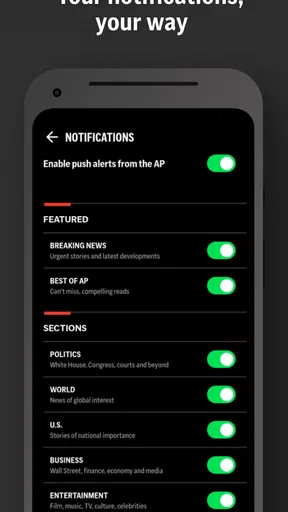
Notifications can be a blessing or a curse, depending on how they’re handled. The app does a great job of giving you timely updates without feeling like it's nagging you every five minutes. You can customize the alerts so you only get notified about the topics you care about. It’s like having a well-mannered friend who knows when to speak and when to stay silent.
My practical advice is to treat alerts as a narrow exception, not as a substitute for opening the app when I choose. I’d keep only the notifications that genuinely help me act or understand an ongoing story, then review that choice after a few days. A headline alert can interrupt work without supplying enough context to make sense of the event. If that happens, changing the alert mix is better than letting every buzz pull me into a half-read news cycle.
Making multimedia fit the moment
For those who love a bit of multimedia in their news diet, the app doesn’t disappoint. It offers a diverse range of videos, photos, and audio clips to enrich your reading experience. Whether you’re commuting or just lounging at home, you can enjoy a mix of visual and audio content to keep things interesting.
I’d choose the format based on where I am rather than assuming audio or video is always the more convenient option. A photo-led report can add useful context when a scene is central to the story, while audio may suit a moment when I can listen but not read. In a quiet office, on a crowded commute, or with limited time, plain text may be the better choice. This flexibility is valuable, though it also means a story can take longer if I move between formats instead of deciding what I need from it.
Saving stories and handling offline moments
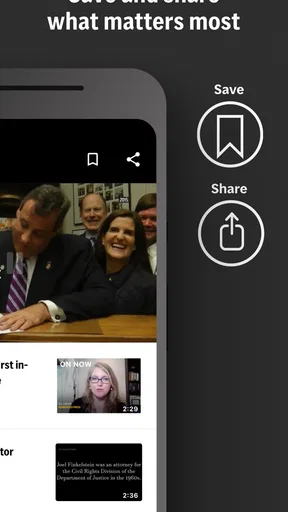
One feature that I absolutely adore is the offline reading capability. You can save articles to read later when you’re offline, which is perfect for those long flights or when you’re in a no-signal zone. It’s like having a pocket-sized newspaper that never runs out of ink.
A useful habit is to save a story while I still have a connection, especially before a commute or a trip where coverage may be unreliable. I’d also avoid treating saved items as a permanent archive: the practical purpose is to make reading possible at a more convenient time, so I would clear out pieces once I have read them. If I need a detailed record for work or research, I’d keep that separately rather than assuming a reading list is a dependable long-term filing system.
Common confusion: a personalized feed is still a selection
Customization makes the app feel more relevant, but it can also narrow what I notice. If I follow only familiar subjects, I may miss a story that matters precisely because it falls outside my routine. I’d occasionally browse beyond my chosen interests and use the local section as a separate check, rather than treating the main feed as a complete picture of everything happening. A personalized feed is a convenience, not a guarantee of balanced attention.
It also helps to separate breaking updates from the fuller reporting I want to understand. A notification or short headline can tell me that something has happened, but I may need to open the story and spend time with it before drawing a conclusion. When a subject is complicated, I would compare coverage with another trusted source or a specialist publication. That is not a reason to avoid AP News; it is a sensible way to use any single news source without asking one app to do every job.
Performance and Usability
Performance-wise, the app is smooth. It loads quickly and the transitions between different sections are fluid. I didn’t experience any annoying lag or crashes, which is crucial for maintaining a good user experience. The app seems well-optimized for both Android and iOS, ensuring a consistent experience across devices.
Usability is top-notch. Even if you’re not tech-savvy, you’ll find navigating through the app intuitive. The menu is straightforward, and everything is labeled clearly. It’s designed for users of all ages, so whether you’re a teenager or a retiree, you’ll find it easy to get the hang of.
The app is listed for Everyone 10+ and its current version is 6.23 PROD, with Android 9 as the minimum operating system. If you are choosing between devices, that Android requirement is the practical compatibility detail to check before installing; the age guidance is also useful for families deciding whether the content fits a younger reader. I would still use my judgment about which stories a child reads, since news topics can vary considerably from one day to another.
How it compares with other ways to follow the news
Compared with a newspaper app focused on one city, AP News is a more natural choice when I want local coverage alongside national and international subjects. Compared with a broad news aggregator, it offers a more clearly defined editorial source rather than making a collection of publishers the main experience. Each approach has a trade-off: a local outlet may offer more depth on neighborhood issues, while an aggregator can make it easier to compare different publishers in one place. I would not expect one app to replace both.
It may also be less suitable for readers who want a specialist feed devoted entirely to finance, sports, technology, or another single field. A dedicated publication can provide more focused analysis and a stronger sense of its particular beat. AP News makes more sense as a general news companion: useful for orientation and a varied daily scan, but not necessarily the last word on a subject that matters deeply to you.
Who should use it—and who may prefer something else
I’d recommend trying it if you want a general-purpose news app with a route into local stories, or if you are building a manageable reading habit and want to choose topics and alerts thoughtfully. It can also suit someone who moves between short reading sessions and saved articles, rather than sitting down for a long newspaper-style read every time. Because it is free, it is easy to test as part of a routine without making a subscription decision first.
I would look elsewhere if your priority is exhaustive reporting on one town, a particular industry, or a single specialist interest. I’d also skip frequent notifications if news interruptions make it harder to concentrate; the app’s value does not depend on letting it reach you throughout the day. Readers who want a deliberately diverse set of publishers may be better served by an aggregator, while those who want a local reporter’s close attention to community details should keep a local outlet in their mix.
Wrapping It Up
All in all, AP News: World & Local is a solid app for anyone looking to stay informed in today’s fast-paced world. Its user-friendly design, customizable features, and multimedia options make it a versatile choice for news consumption. Whether you’re at home or on the go, this app ensures you’re always in the know. It’s like having a trusty news companion in your pocket, ready to deliver the latest scoops whenever you need them.
If you're keen on checking it out, you can easily find it on the Google Play Store or the Apple App Store. Give it a whirl and see if it becomes your go-to news app. Happy reading!
For a first day with the app, I’d keep the goal modest: set a feed that reflects what I actually care about, read one story carefully, and save one more for a better time. After that, I can decide whether local coverage earns a regular place in my routine and whether any alerts are worth keeping. That gives me a fair test without turning news into a constant chore.
A simple way to decide if it belongs on your phone
Try it for the job you need done, not for an imagined perfect news experience. If it helps you move from a quick headline scan to a more informed read, while leaving room for other sources when you need depth or a different perspective, it is doing useful work. I see AP News as a convenient starting point rather than a replacement for every publication I trust. That balance is what makes it easiest to recommend to a friend: use it regularly, shape it to your day, and keep your own judgment in the loop.
Pros
- Comprehensive coverage of global events.
- User-friendly interface with easy navigation.
- Customizable news alerts and notifications.
- Offline reading mode available.
- Minimal ads
- ensuring a seamless experience.
Cons
- Limited multimedia content in articles.
- Occasional delay in real-time updates.
- Requires login for personalized features.
- No dark mode for night reading.
- Some news categories lack depth.
FAQs for AP News: World & Local
What features does the AP News: World & Local app offer?
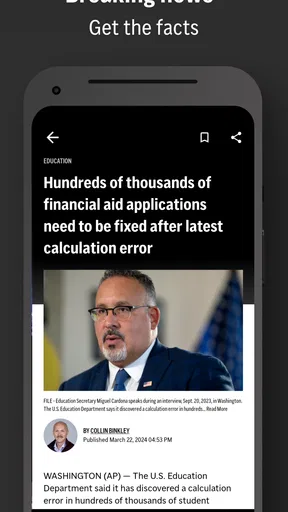
The AP News app provides users with up-to-date news from around the globe. It offers personalized news feeds, breaking news alerts, and in-depth coverage on various topics such as politics, sports, and entertainment. Additionally, users can access video content and save articles to read later.
Is the AP News app free to download and use?
Yes, the AP News app is free to download on both Android and iOS devices. While the app offers a comprehensive range of news articles and features at no cost, there may be optional in-app purchases or advertisements to support the service.
Can I customize my news feed in the AP News app?
Absolutely. The AP News app allows users to personalize their news feed based on interests and preferences. You can select specific topics or regions to follow, ensuring that the news you receive is relevant to your interests. Customization helps in filtering out unnecessary updates.
Does the AP News app provide offline reading options?
Yes, the AP News app supports offline reading. Users can save articles to their device, allowing them to access content without an internet connection. This feature is particularly useful for reading on the go or in areas with limited connectivity.
How frequently is the news updated on the AP News app?
The AP News app is renowned for its real-time updates. News articles, alerts, and reports are frequently updated to ensure users have access to the latest information as events unfold. This constant refresh ensures that users stay informed with accurate and current news.


